Patch for Vita3k
Posted on Dec 29, 2025
In this short blog post, I will write about installing patches for PS Vita games on Vita3K.
I bought a Steam Deck this year and have enjoyed it since. I use it mainly for Nightreign, but I just started using it as an emulator for PS1/PSP/Vita/Dreamcast. Among these, only the PS Vita supports patches, and I had to spend some time figuring out how to install them for Vita 3k. So, I leave some notes here for future me.
In a nutshell, you can install patches on Vita3K, like normal game packages.
First, you need to apply a patch in your PS Vita (with CFW, of course). This will create a new folder under the “patch” folder with a folder name, like “PCSG00XXX”.
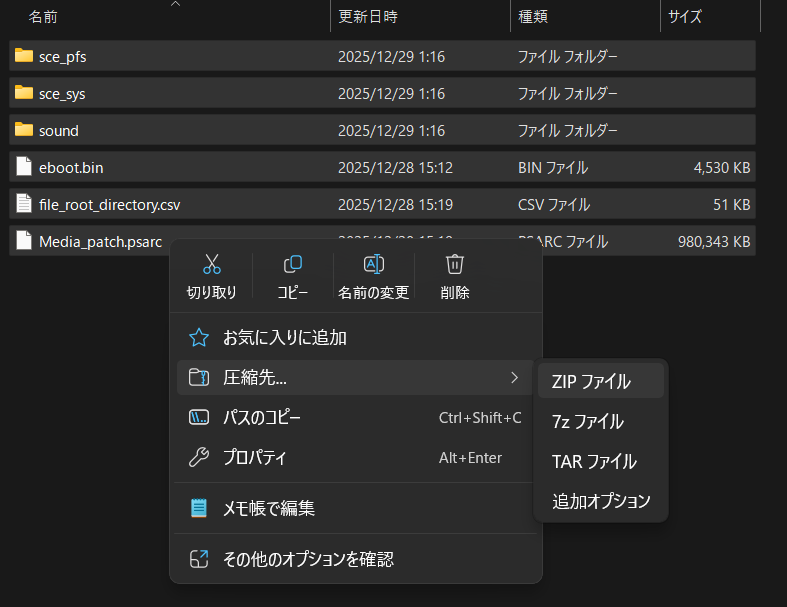
Then, you copy and paste the folder to your PC using VitaShell. Open the folder, select all files & folders in it (e.g., the “sce_sys” folder), and compress them into a zip file.
The final step is to install the zip file by opening it from “File > Install .zip, .vpk” on your Vita3K.
That’s it! With this process, you can apply the patch in Vita3K.
comments powered by Disqus